Small organisations that need a shared directory without the weight of a full CRM; company admins and platform operators.
Product case study · Multi-company contact management · Functional web app
ContactHub
A PHP/MySQL contact-management product with company workspaces, shared and personal records, permissions, groups and CSV import.
RoleProduct structure · UX/UI · Full-stack implementation
ScopeAuthentication, roles, contacts, groups, import, administration
DeliveredA working multi-tenant MVP and a safe static product walkthrough
BuildWorking application, database schema and interactive product walkthrough
01 / Context
The situation
A contact directory looks simple until ownership and permissions matter. Users need personal records, companies need shared records, administrators need control, and a super-admin must manage organisations without exposing one company’s data to another.
A working multi-tenant MVP and a safe static product walkthrough.
02 / UX logic
Three decisions that shaped the product
Make ownership visible
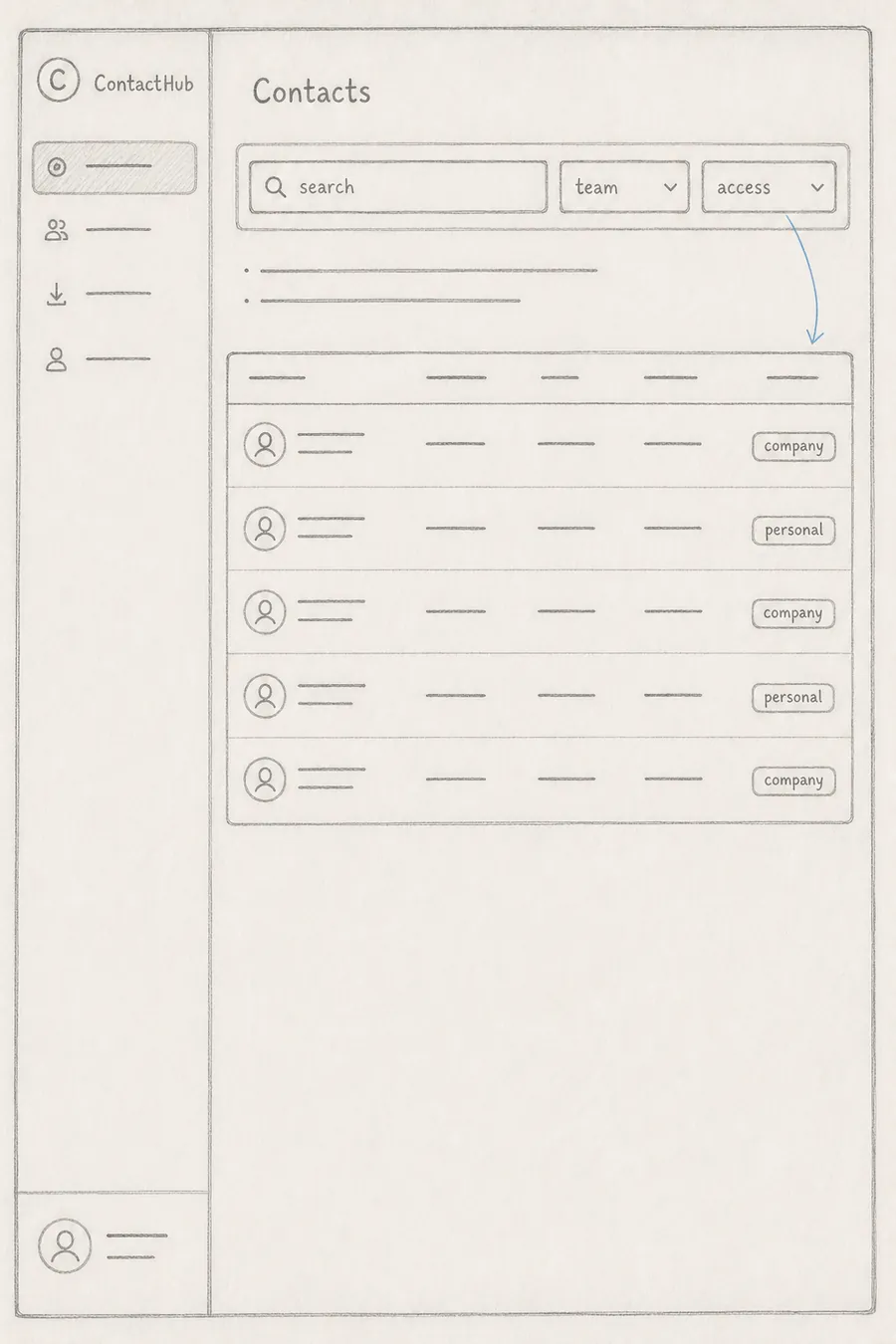
Shared and personal contacts use explicit labels and filter states. Permission is communicated in the table instead of appearing only after an edit fails.
Design roles around real tasks
User, company admin and super-admin navigation changes with responsibility. Impersonation is visibly signposted so platform operators know when they are viewing a company context.
Treat empty and recovery states as product states
The interface includes first-contact guidance, no-filter-results feedback, CSV import paths and confirmation patterns rather than assuming a populated happy path.
03 / Structure
Interface blueprint
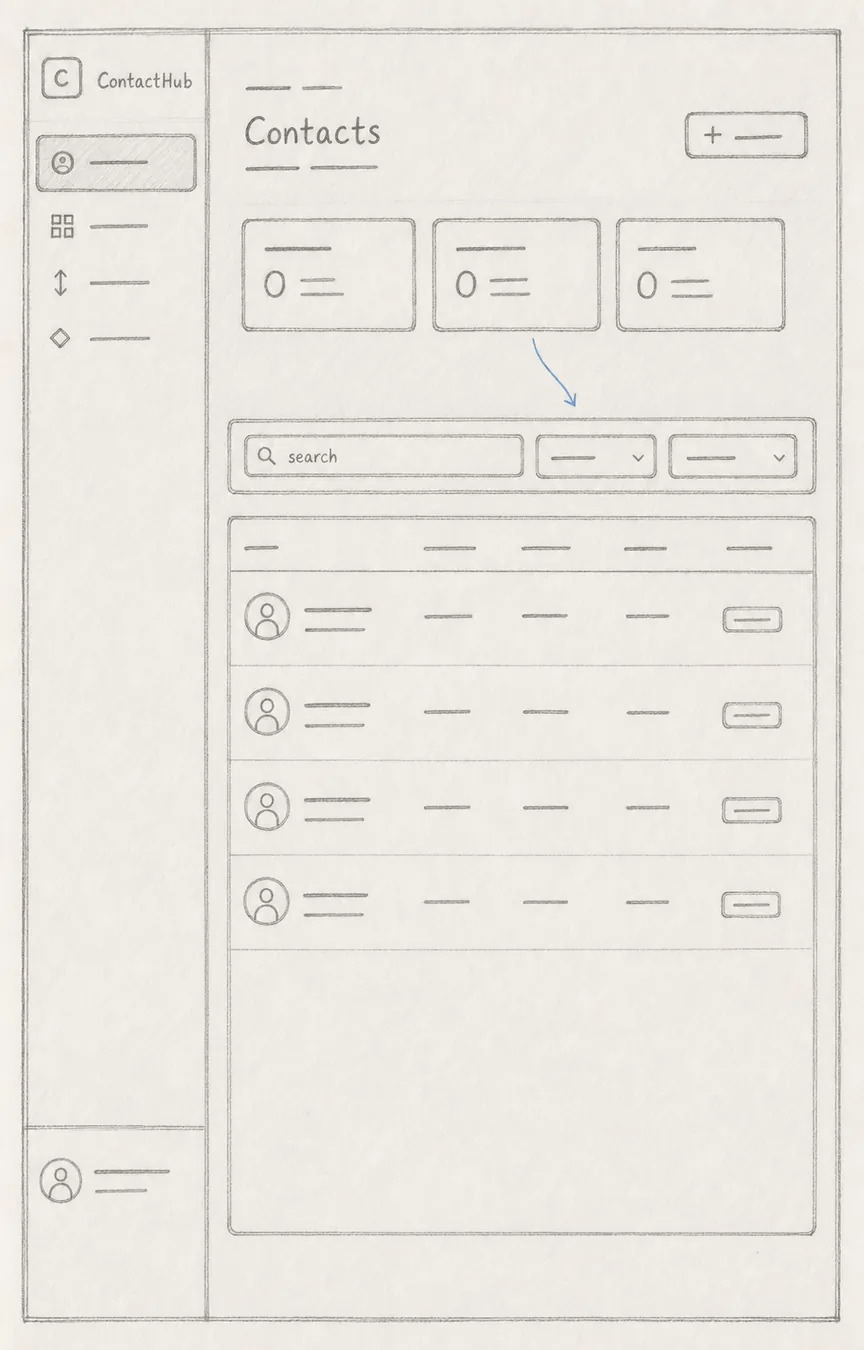
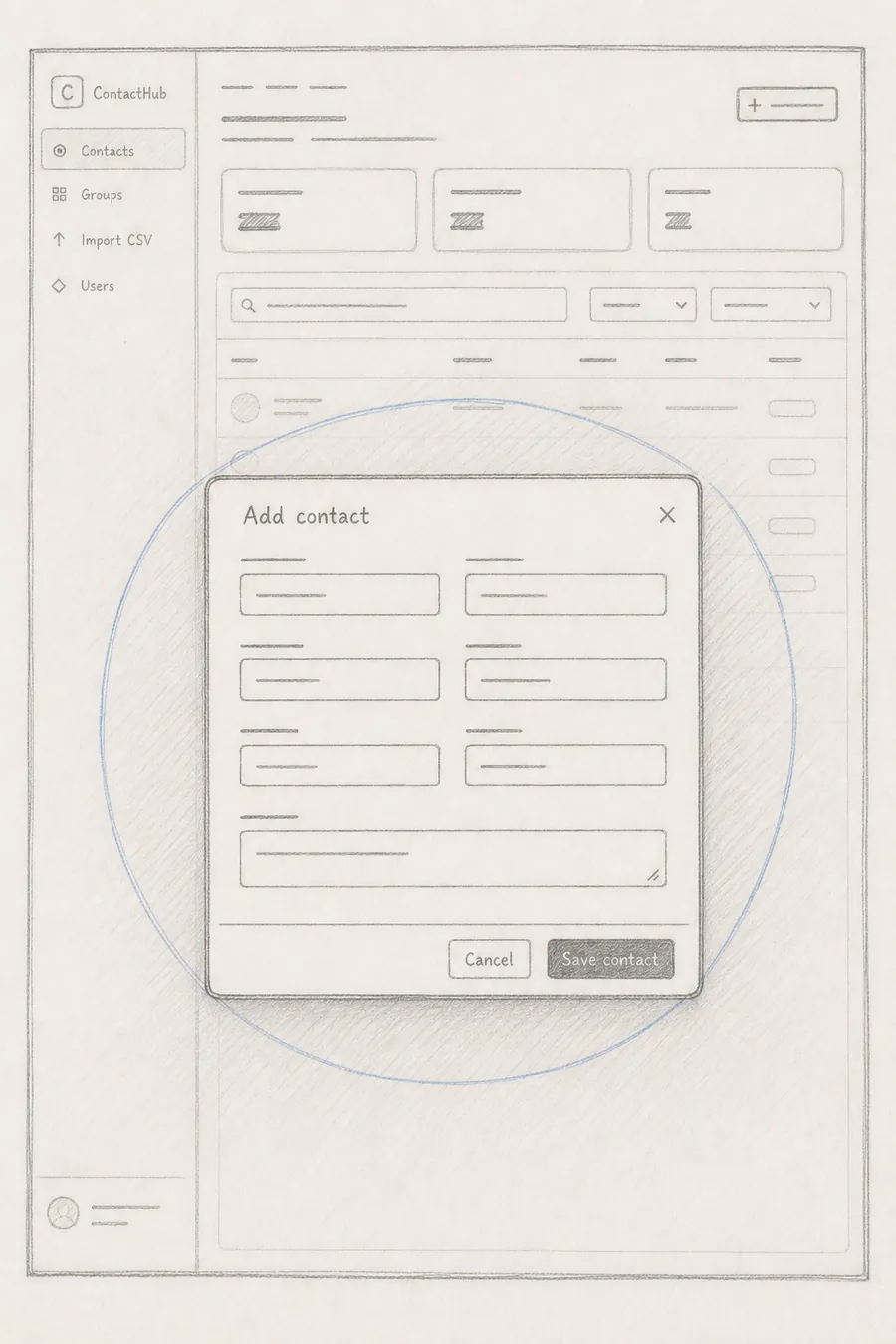
These diagrams map the real blocks, order and proportions used in the finished interface, making the layout decisions easier to inspect.
Directory overview01
Search and ownership02
Add contact03
04 / UI system
Visual system
A dense but calm blue-grey system prioritises tables and operational clarity. Consistent badges carry ownership and role meaning, while modal forms keep CRUD work — create, read, update and delete — inside the directory context.
#12223d
#2e6cff
#eef4ff
#16794b
05 / Final interface
Final interface
06 / Business impact
What the work changes
A working multi-tenant MVP and a safe static product walkthrough
The product covers company workspaces, personal and shared contacts, groups, CSV import and role-aware administration. The public walkthrough uses realistic sample records so the table, filters, modal and feedback states can be evaluated as a working product.
Measure how quickly people find the right record from a large shared list.
Track cleanup work before and after shared import and ownership rules.
Review failed edits, access questions and company hand-off time.